Best for family keepsakes
Made for old portraits, wedding photos, graduation prints, and album scans that need careful repair instead of a heavy AI makeover.
Fadeloom
Old photo restoration for family memories
Upload one faded portrait, wedding photo, scratched print, or yellowed album scan. Review a private watermarked preview first, then pay only if the restored full-resolution image is worth keeping.
Made for old portraits, wedding photos, graduation prints, and album scans that need careful repair instead of a heavy AI makeover.
The preview lets you judge whether the person still looks natural, whether scratches were cleaned, and whether the memory still feels like the original photo.
Your upload is used for this repair flow only. Preview and restored files are temporary and are cleared after the retention window ends.
Get started
JPG, PNG, WebP · max 10 MB
You will see a private watermarked preview first, so you can check the old photo repair before paying for the full-resolution download.
See whether the restored photo still feels like the same family memory.
Best results come from front-facing portraits, wedding prints, graduation photos, and album scans with visible fading, scratches, yellowing, or low contrast.
Tip: include UTM links when sharing this upload page so every visit and payment can be traced back to its source.
Studio sample
Fadeloom works best when the damage is emotional as well as visual: faded portraits, wedding keepsakes, and album scans that people want to keep faithful to the original print.
For the one portrait every sibling keeps forwarding in the family chat.
Useful when the face is still there, but the print looks dull, low-contrast, or washed out.
A strong fit for treasured prints with folds, scratches, and years of yellowing.
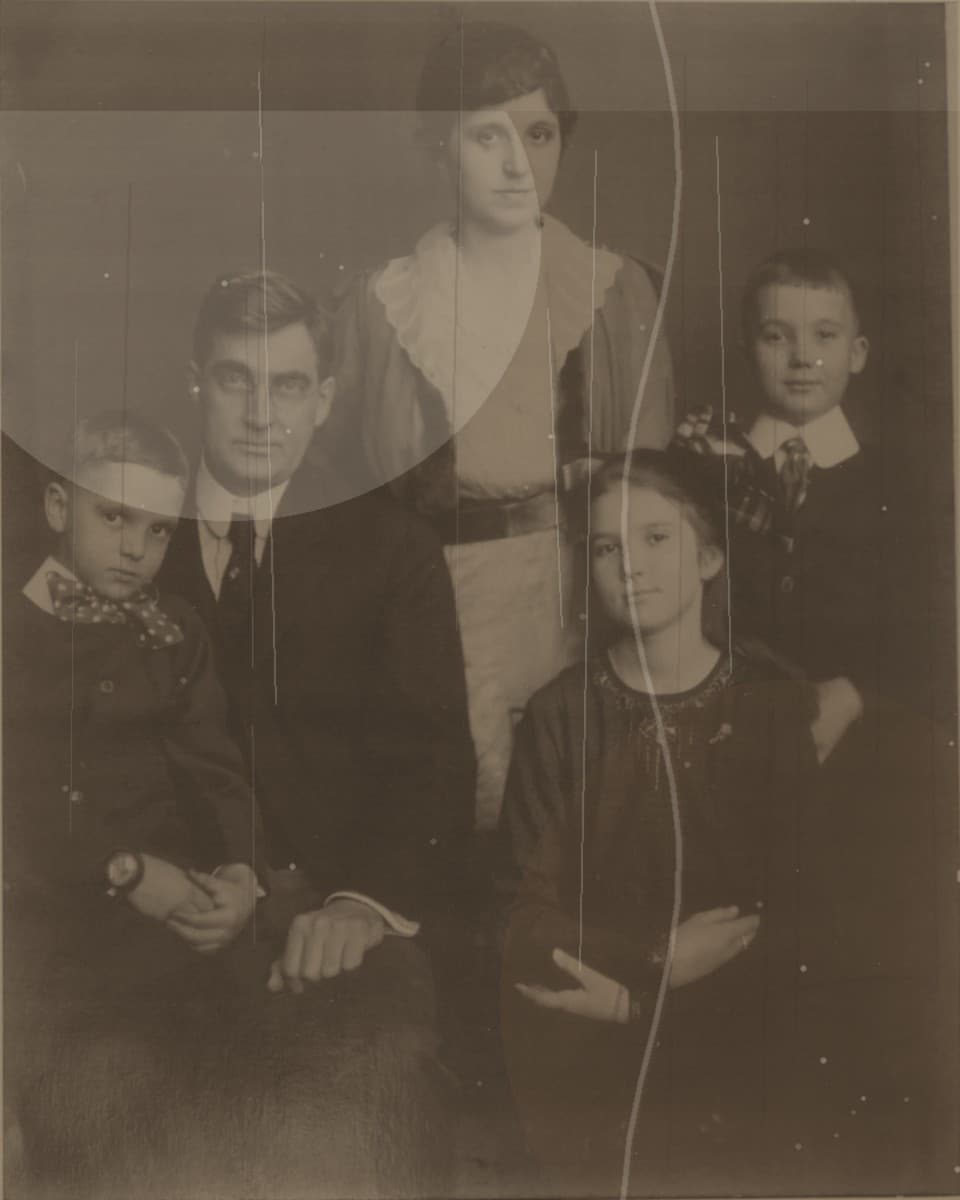
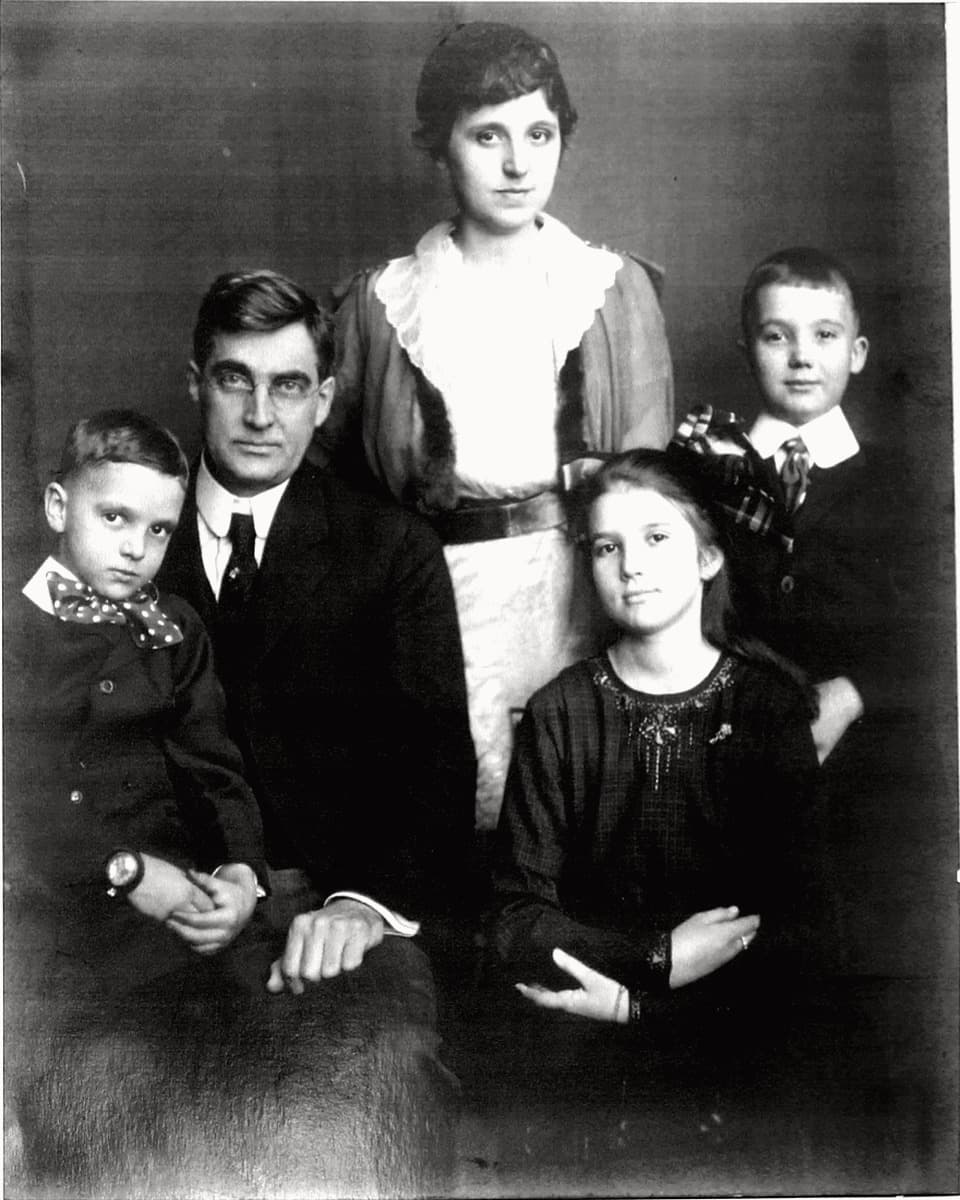
Sample restoration workflow
Before
After
The same sample pair is used across the first launch pages so the site stays honest while real customer stories are still being collected.
How it works
01
Add a phone photo, scanner export, or saved family album image. JPG, PNG, and WebP are supported.
02
Check the face, color, contrast, scratches, and overall feeling before you decide whether to unlock the final image.
03
If the repair looks right, complete checkout and download the clean full-resolution file without the preview watermark.
Trust & handling
People pay for old photo repair when they feel safe uploading the image and can see the result clearly before checkout.
Visitors can test the flow without friction, while the quota protects restoration credits from abuse.
Uploads, previews, and restored files are temporary so family photos are not kept longer than needed.
Watermarked previews appear before payment so buyers can judge faces, scratches, and contrast with less hesitation.
Overseas visitors can use secure card checkout, while Chinese visitors can use local payment methods when available.
Pricing
Start with a single photo to test the quality. If you like the result, bundle options make it easier to restore the rest.
Single Photo
Best for trying one photo first and downloading the finished high-resolution result if you like it.
Family Album
A better fit for a small group of family photos that you want to restore together.
Photo Collection
For larger batches when you are organizing and restoring a full collection of family photos.
Use cases
Start with the situation that looks closest to your photo: a faded portrait, a damaged wedding print, or a yellowed album scan.
Social hook
Use this angle when the emotional hook is recognition: one faded portrait that children or grandchildren want to preserve before the print deteriorates further.
Search angle
This angle is for people searching with intent: old wedding photo restoration, damaged wedding print repair, or family keepsake photo repair.
Community reply
This story angle is effective when replying in Reddit threads, Facebook groups, or family archive communities where people share scanned pages and ask what is realistically fixable.
FAQ
These are the questions most likely to block a first order. Keeping them visible on the landing page reduces doubt and improves the upload-to-payment flow.
No. Fadeloom shows a watermarked preview first. Payment only happens when the buyer wants the clean full-resolution download.
No. The current retention window is 72 hours. The site keeps files just long enough for preview, payment, and download, then clears them automatically.
Front-facing portraits, wedding prints, graduation photos, and album scans with visible fading, yellowing, or scratches usually create the clearest before-and-after result.
It is better to share the main landing page or a guide page publicly. Result pages are private and tied to a single upload, while landing pages are designed to earn trust first.
Partner kit
Use the partner page as your public handoff link when you start outreach. It explains the offer, the preview-first flow, and the collaboration package in one place.
Open the partner page